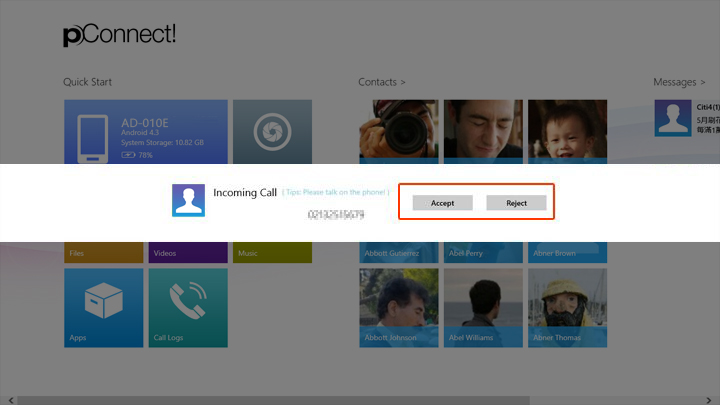
When you receive an incoming call while PC application is running in foreground, the incoming call dialog will be displayed.
If PC application is running in background, incoming call toast message will be displayed. By clicking the toast message, the incoming call dialog will be displayed.
Under the condition that the Hands-free Profile of TOSHIBA Bluetooth Software is enabled, pConnect! will disable Incoming Call Toast message, while allowing Incoming Message Toast.
While pConnect! is running in foreground, the incoming call dialog will pop up without the buttons to accept/reject the call.
Below image shows incoming call notification when PC application is running in background and Hands-free Profile of TOSHIBA Bluetooth Software is disabled.
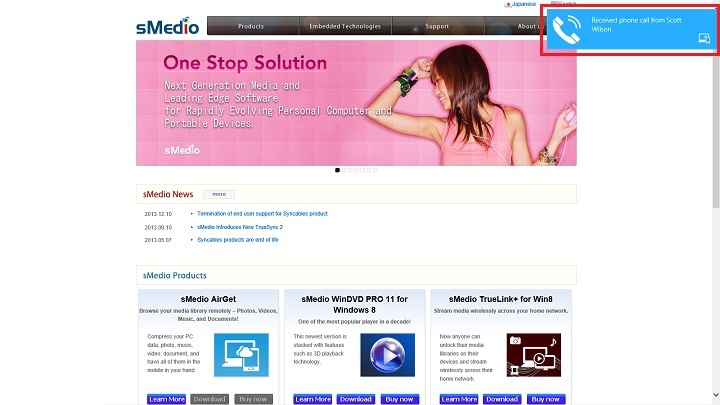
You can choose accept or reject the phone call. You need to talk on smartphone if you accept the phone call.
When you click/tap "Reject", the incoming call will be rejected and a message will be sent to the caller automatically. This message can be edited from Configuration in [Settings].